Preview Environments for Dynamic Sites
A static site previews as a folder of files. A dynamic site has to preview as a running system - server, secrets, live data, firewall and all. Here is what that took for one of the loudest rooms in Dallas, and the two production-grade failures it caught before any customer could.
Talk to an EngineerWhen Copying a Site Stops Being Enough
In our piece on preview environments for static sites, we showed how every branch of a website can get its own private copy on the web, built and published by automation in about a minute. That system works beautifully because the sites it serves are static: the build produces a folder of finished files, and previewing a change means parking that folder at a new address. The entire trick costs pennies because files sitting in storage do not do anything. They just wait to be read.
Most of the web people actually use is not like that. Sites search databases, render pages on demand, take form submissions, and talk to other services with credentials that must never appear in public. For those sites, a preview that only copies the files is a mannequin: it looks right and does nothing. If you want to trust a preview of a dynamic site, the preview has to run - same server, same data, same security posture as the real thing. This is the story of building exactly that.
The Patient: A Venue That Is Never Not Busy
Silo Dallas is an event space ranked among DJ Mag's Top 100 Clubs, booking acts like Steve Aoki, Zhu, and Sasha and John Digweed. Its website is the box office window: event listings load live from a search engine, every show links out to ticketing, and contact, VIP, and signup forms feed the venue's CRM. The site is a modern server-rendered application - when you filter events, your browser is not flipping through saved pages, it is asking a server to run a search and build the answer on the spot.
The assignment had one constraint that outranked every other requirement: the live site could not be touched. Not its domain, not its traffic, not the branch its deploys watch. We were to stand up a complete second home for the application on our own platform - cloud servers, CDN, firewall, the works - prove it behaves identically, and leave the switch unflipped until the venue says go. In other words: build the preview environment first, and let it earn the cutover.
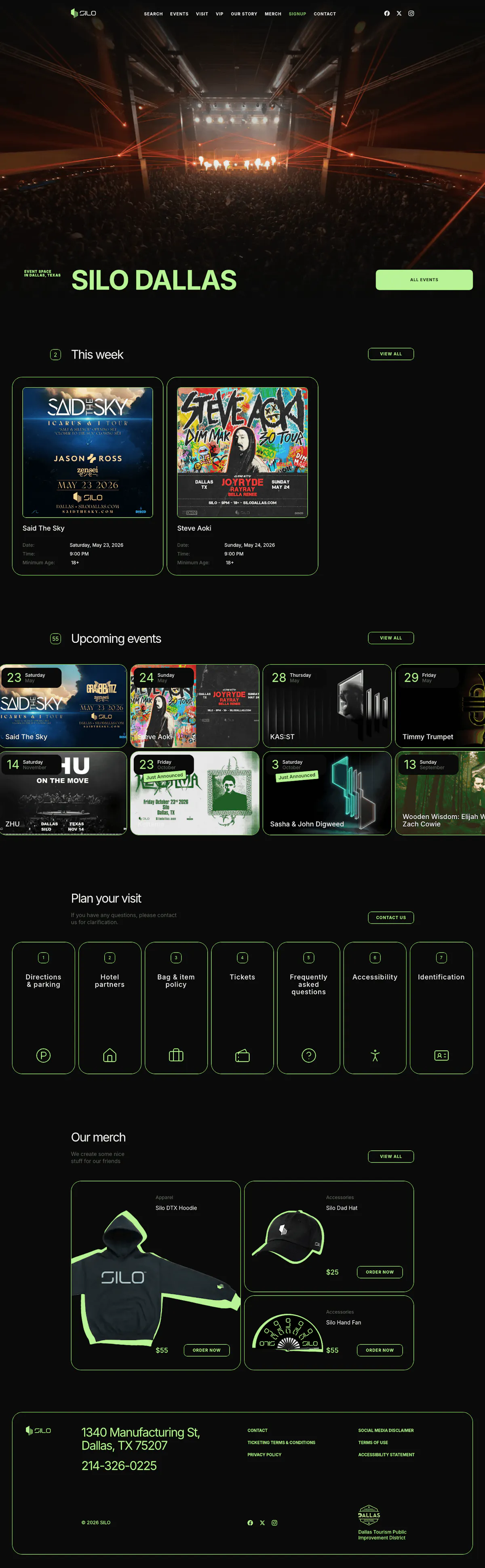
silodallas.com - scroll inside the frame. Every event card on this page is fetched live from a search index; every form posts to a CRM. None of that survives being copied as flat files, which is why previewing this site means running it.
What a Running Preview Actually Contains
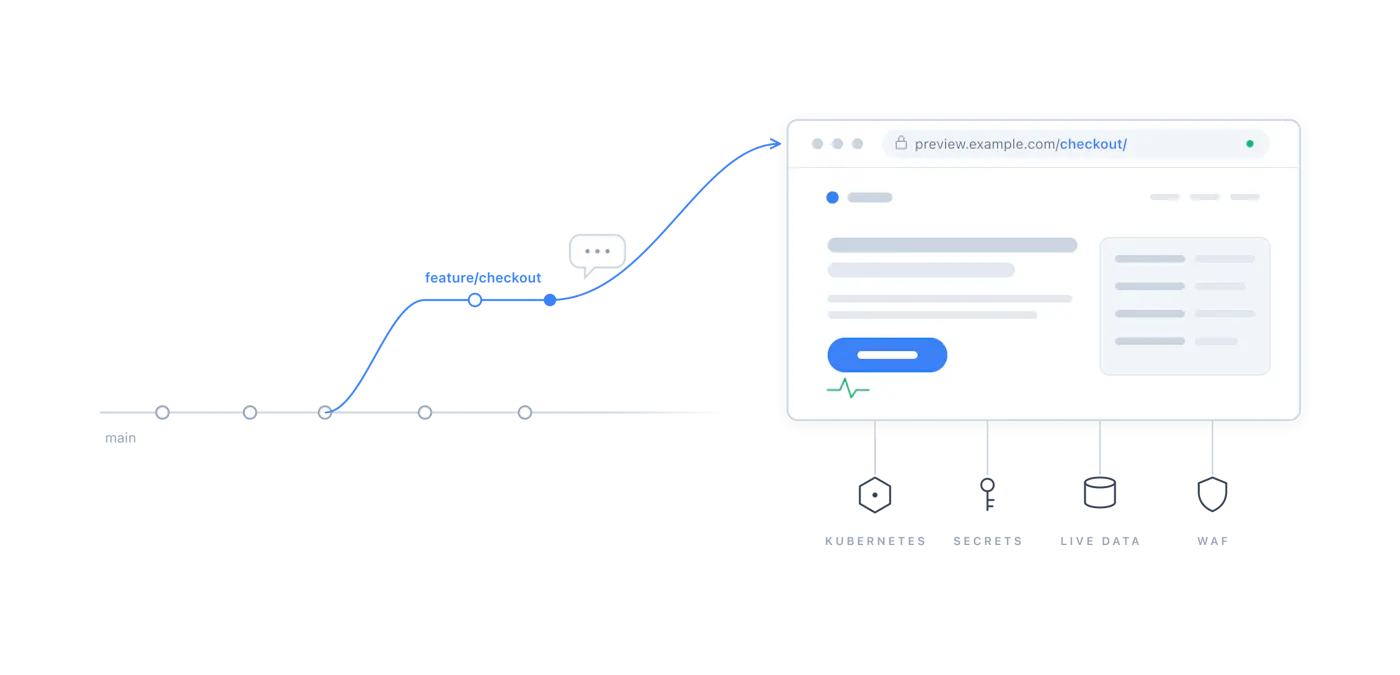
For a static site, a preview is one moving part. For a dynamic site, it is six, and every one of them has a job that flat files cannot do. The useful way to think about it: anything production needs to serve a customer, the preview needs too - just pointed at a different address.
| Layer | What the preview runs | Why files are not enough |
|---|---|---|
| Application | The real server, containerized on Kubernetes, built from the exact commit under review | Search, filtering, and page rendering happen per-request, on a server |
| Secrets | Credentials injected from a cloud secret vault at runtime | Database and CRM keys can never be baked into public files |
| Data | The same live event index production reads | A preview with fake data cannot prove the real pipeline works |
| Edge | Its own CDN distribution with an authentication gate | Caching behavior is part of the product and must be rehearsed |
| Firewall | A web application firewall tuned to this app, declared in the repo | Security rules can break features - you want that discovered here |
| Cache policy | Freshness as a number in a config file: 10 seconds on the preview, effectively forever in production with purge-on-deploy | How stale a page may be is a business decision, so it lives in version control |
Every layer above is defined in code, in the application's own repository, and applied by the same automation that deploys the app. That is not tidiness for its own sake. It means the preview environment is reproducible - delete it and the robots will rebuild it identically - and it means every infrastructure decision is a reviewable line in a pull request rather than a setting someone once clicked. The scorecard for the whole effort reads like a haiku: zero changes to the live site or its traffic, one line of difference between the preview code and production code, two stacks serving the identical commit, and eight of eight automated browser tests passing as the baseline.
A Domain for Every Branch, a Replica Behind Every Domain
One detail of this system deserves its own section, because it is the part most teams skip: every environment gets a real, fully qualified domain, and that domain is tied to a branch of the repository. Our own staging site, for example, lives at www-udx-io-staging.rabbit.ci, and the venue's preview follows the same naming pattern - application, then branch, as a working address on the public internet. The name tells you exactly what you are looking at and exactly which code you are looking at. Nobody has to remember a port number, ask which server the test build is on, or wonder whether the demo they saw yesterday is the same one they are approving today.
What makes the domain meaningful is what stands behind it. That URL is not a shortcut into a shared test box - resolving it walks the same path production traffic walks: a DNS record, a TLS certificate, a CDN distribution with its own firewall and authentication gate, and behind all of that a running server whose secrets are pulled at runtime from the vault and whose code is whatever the branch holds right now. Push a commit to the branch and the environment updates itself. From DNS at the top to secrets at the bottom, the domain fronts a full replica of what production is - or, for a site that has not cut over yet, of what production will be.
This is what ties the whole practice into a coherent digital pipeline rather than a collection of clever tooling. Branches are how software teams already express intent - this is in progress, this is ready to rehearse, this is what customers see - and giving each stage of the pipeline its own branch, domain, and complete stack makes that intent physical. Promotion becomes a merge, not a migration. "Works on staging" stops being a hopeful phrase and becomes a precise one: the exact code that will merge, served exactly the way it will be served. We call this discipline software logistics. Nobody types that phrase into a search engine, but it is the answer to most of what goes wrong between "the code is done" and "the customer sees it": the unglamorous, high-stakes work of moving software from where it is made to where it is used - staged, tracked, and delivered intact. And when launch day arrives, the cutover is not a rebuild or a scramble - it is DNS turning to face a stack that has already been running, tested, and photographed for weeks.
What the Preview Caught, Part One: The Firewall That Ate the Buttons
Within a day of the environment going live, interactive features on the preview started failing - form-style requests coming back rejected while ordinary page loads sailed through. Nothing in the application had changed. The culprit, pinned down through CDN logs and the firewall's own sampled-request records, was a web application firewall rule doing exactly its job: watching for SQL injection, a classic attack where malicious database commands are smuggled inside form submissions. Thirty-five requests had been blocked in a single burst, all of them legitimate.
The wrinkle is that this application does not have a SQL database at all - its data lives in a search index and a CRM. But its framework sends interactive requests in a compact encoded format that, to a pattern-matching firewall, looks uncomfortably like smuggled database syntax. The protection was guarding a door this building does not have, and body-slamming guests on the way in. The fix was to give the application its own firewall policy, declared in its repository: injection rules demoted from blocking to logging for an app with nothing to inject into, every other protection inherited unchanged.
A security rule that breaks a feature on the preview is a lesson. The same rule discovered in production is an outage, with your customers as the detection system. This finding traveled, too. Auditing our other tenants showed the same class of exposure elsewhere - apps one oddly-shaped but legitimate request away from a silent failure that would have looked like the search filter sometimes not working. One venue's preview environment quietly improved the security posture of an entire platform.
Part Two: One Site, Two Factories
The second catch was subtler and, for anyone who ships software, more instructive. The site now had two build systems: the incumbent host building it one way, and our pipeline building it another. Both compiled the same code, but they resolved its dependencies - the hundreds of open-source packages every modern site stands on - using different tools. To make our pipeline work, a few small compatibility shims had crept into the repository. Reasonable, invisible, and exactly the kind of drift that turns "it worked in staging" into a famous last sentence.
The drift announced itself when the incumbent host's preview builds started failing on a lockfile mismatch. Two facts emerged from the investigation. First, the platform's atomic deploys had protected the live site the whole time: a build that fails simply never gets promoted, so visitors never saw a thing. Second, and more importantly, the shims themselves were the disease. If our environment builds the site differently than production does, then our green checkmark proves something adjacent to, but not the same as, "production will work."
So instead of patching the symptom, we taught our shared build pipeline to speak the project's native package manager and deleted every shim. The result is the kind of diff an engineer frames and hangs on the wall - the entire difference between the tree we test and the tree production runs:
One line, and it is the version number. Identical dependencies, resolved by the identical tool, from the identical lockfile. Dependency drift between the environments is no longer discouraged; it is impossible by construction. That is the standard a preview environment should be held to: not "close enough to production to be reassuring," but "different from production by a diff you can read aloud."
Proving It, and When You Do Not Need It
With the drift eliminated, validation became pleasantly boring. The same commit now builds and serves on both stacks - the incumbent host's preview and our full environment - with live event data flowing on each. An automated browser suite covers the critical pages: home, events, VIP, visit, signup, contact, merch, plus a test that clicks into a real event and one that fails if the event cards ever stop arriving from the search index. Because the suite captures screenshot baselines, re-pointing it at the other stack produces automatic visual before-and-after evidence with zero extra work. And through all of it, the operating rule held: nothing merges toward production unless the preview is green on both stacks.
Honesty requires the flip side. If your site is genuinely static - a marketing site, a documentation site, a portfolio - you do not need any of this, and the file-copying version will serve you at a fraction of the complexity. If your dynamic site deploys once a quarter and a failed deploy costs you an apology rather than revenue, a conventional staging server is probably fine. This pattern earns its keep when the site is the business: when forms are leads, listings are inventory, and an hour of "the search filter is broken" has a dollar figure attached.
For everyone in that second group, the uncomfortable truth is that most staging environments are approximations - different data, different configuration, different build path, security rules that exist in production but not in the rehearsal. Every one of those differences is a place where a green light lies to you. The remedy is not heroics. It is good software logistics: insisting that the preview be the system, with the honest diff against production kept small enough to read aloud. Do that, and the risky moment - the cutover, the launch, the big migration - stops being a leap and becomes a formality you have already rehearsed. The venue keeps selling tickets the whole time. Nobody in the crowd ever knows.
Array
The parts of our practice this pattern draws on.
Preview Environments for Static Sites
The companion piece: the same idea where the build produces flat files.
GitOps automation, including the IaC that defines these environments.
CI/CD pipelines with security and preview environments built in.
The broader architecture practice preview environments are part of.
The same discipline applied to WordPress delivery infrastructure.
The firewall lessons from this story, as a service for the platform that needs them most.
"
Talk to an Expert
Connect with our diverse group of UDX experts that can help you implement successful DevOps practices within your organization.