Your media library.
Free from your server.
Upload in WordPress. Store in your cloud. Keep every image when your infrastructure changes.
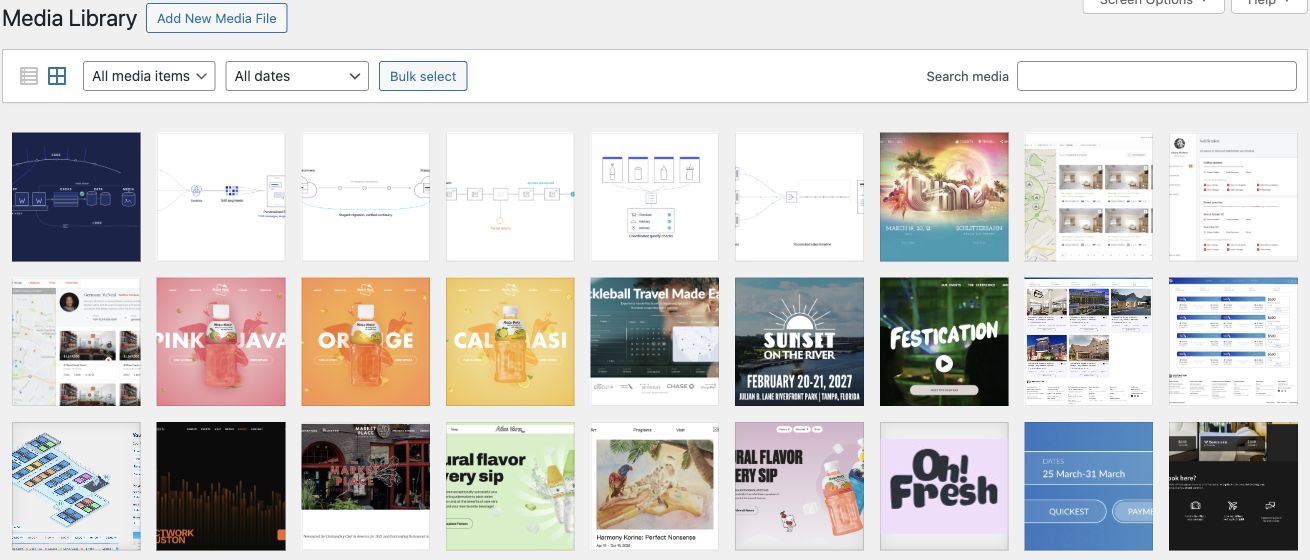

The file stays. The server moves on.
Upload as usual.
Editors keep using the WordPress Media Library. WP-Stateless takes care of the storage handoff.
On udx.io: the same media workflow.Give the file a durable home.
The original and generated sizes go to your Google Cloud Storage bucket. Ephemeral mode removes the local copies after upload.
On udx.io: Ephemeral mode and stateless-udx-io.Replace the application.
Deploy a new container or add a replica. The media stays in the bucket, with no uploads folder to copy between servers.
On udx.io: two disposable containers, one library.Keep the visitor’s image intact.
Every application server can reference the same media URL. An optional image CDN can resize and cache the response in front of the bucket.
On udx.io: Imgix handles image delivery.You are looking at the example.
udx.io runs this setup. See the measured image delivery and the timed recovery drill in the handbook.
Familiar to your editors.
Different underneath.
WordPress stays WordPress.
Drag a file into the Media Library. Write the alt text, choose the image, publish the page. Your editors keep the workflow they already know.
Choose where the file lives.
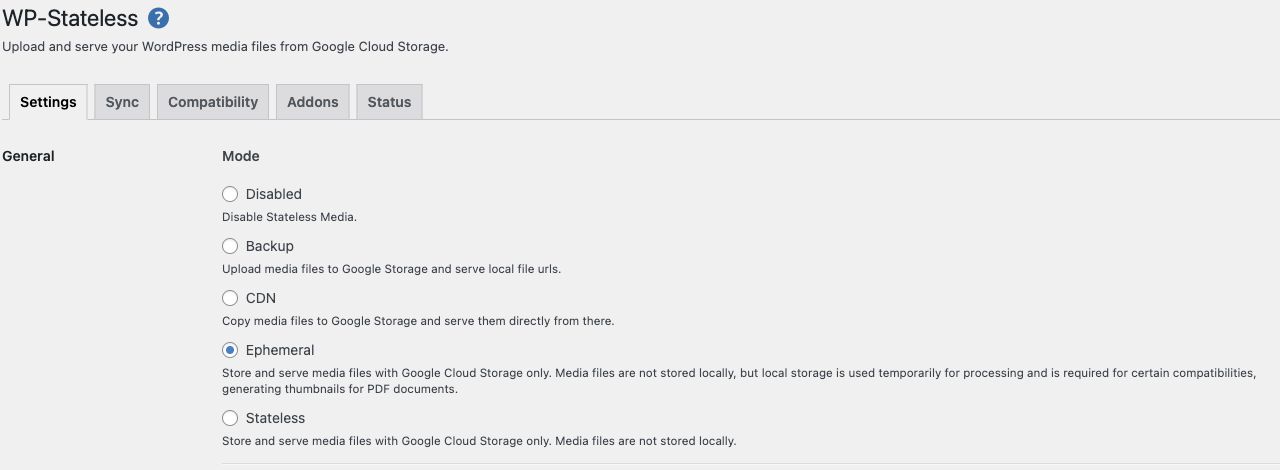
WP-Stateless connects the library to your Google Cloud Storage bucket. Four modes let you keep a local copy, serve from the bucket, or remove the dependency on local media storage.
The server can go.
The media stays.
The files live independently of the application. Add a replica or replace a container: each server can use the same media URLs. This is the bucket behind the site you are reading.
Captured from udx.io in October 2026: its WordPress Media Library, WP-Stateless settings, and Google Cloud Storage bucket. Open any capture to inspect the full image.
Counts read from WordPress.org and GitHub on October 12, 2026. They are not updated live.
Four modes. One storage decision.
Choose whether the server keeps a copy. Every mode uses your own Google Cloud account.
| Mode | Local copy | Served from |
|---|---|---|
| Backup | kept | server |
| CDN | kept | bucket |
| EphemeralThis site | seconds | bucket |
| Stateless | none | bucket |
Ephemeral and Stateless remove the dependency on local uploads. PHP still needs temporary storage. Compare configuration options in the documentation.
What ships in the box.
The plugin is the integration, not a hosted service. Everything below runs inside your WordPress install against a bucket in your own Google Cloud project.
Signs in to Google Cloud and creates the service account and bucket for you. Manual setup is documented for teams that provision their own.
Every setting can be set with a wp-config constant or a network-level override, so environments are configured from the deployment, not the dashboard.
Mask the default storage URL with a hostname you own, so content holds addresses you control rather than Google's.
Hardcoded media URLs in post content and meta are replaced with their bucket equivalents, so old links keep resolving after the move.
Upload an existing library to the bucket, in batches, and regenerate image sizes. Keep the local copy until every file is verified.
Network installs are supported. Serverless platforms are supported too, including Google App Engine; give uploads a writable temporary directory.
Constants, filters and release notes are in the documentation. The changelog lists every release since 2016.
Compatibility: 15 available add-ons
Some plugins write files outside the media library or read them straight from disk. Each add-on teaches WP-Stateless that plugin's paths. Install only the ones for plugins you actually run.
The add-on library explains what each one changes. Missing one? Open an issue on GitHub.
Before you install.
Is WP-Stateless free?
Yes. The plugin is free on WordPress.org and the source is public on GitHub. Google Cloud bills storage, operations and egress for the bucket on your own account; nothing is billed by UDX. Google's own pricing page is the source for those rates.
Can I move an existing media library into the bucket?
Yes. The sync tools upload existing files in batches and can regenerate image sizes. Synchronizing a large, older library is the step that deserves the most care, so start in Backup or CDN mode, keep the local copy until every file is verified in the bucket, and only then switch to Ephemeral or Stateless.
Which mode should I pick?
Ephemeral for containers with a writable but disposable filesystem, which is how udx.io runs. Stateless for a read-only application filesystem with writable temporary storage. Backup when you are staying on one server and want the bucket as insurance. CDN when you want bucket delivery today and a clean move later.
Does it work with my page builder, forms or commerce plugin?
The WordPress media library works without any add-on. Plugins that write their own files or read them from disk need the matching add-on from the list above. Test uploads, generated sizes and downloads on a staging copy before switching production.
Does it resize images or cache them at the edge?
No. WP-Stateless stores files and serves them from the bucket. For on-the-fly sizes and edge caching, put an image CDN or a cache in front of the bucket. Chapter 06 measures what that is worth on this site: a 57 percent smaller response at 800 pixels.
Who maintains it, and can I pay for help?
UDX maintains the plugin from Durham, North Carolina, with 23 contributors on GitHub. Issues and pull requests are welcome there. Paid help covers library migrations, bucket and CDN design, and the incident work when images stop loading; use the form at the bottom of this page.